
Email and domain setup is included in your free trial.
Schedule your onboarding call and let our team configure everything properly
— the right way, from day one.
Book your onboarding now
LC Email
Setup Email
GoDaddy, Squarespace + other domain hosting
Step-by-step LC Email Dedicated Domain Setup
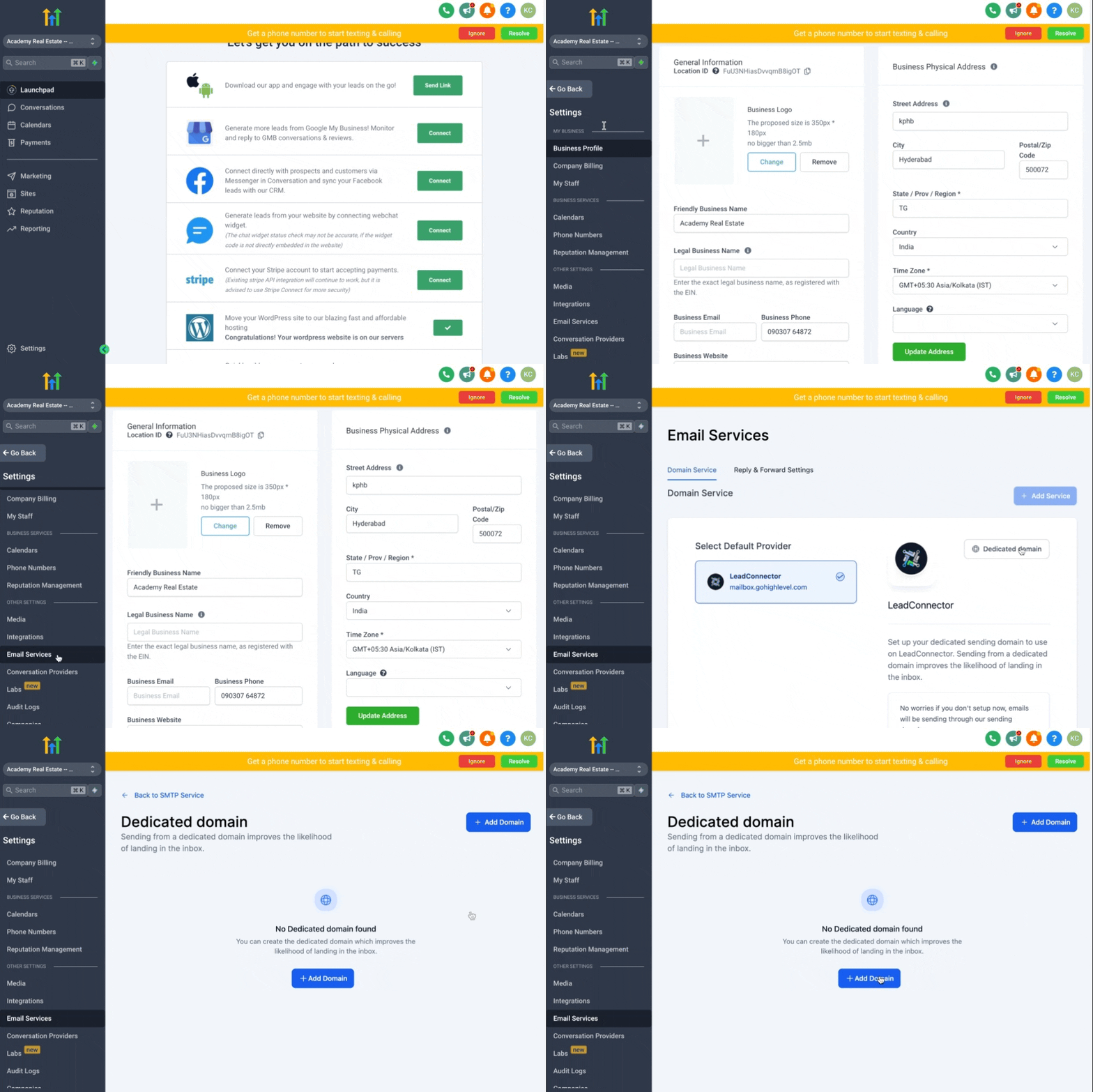
1. Once you are in the sub-account > Click on Settings > Email Services > Dedicated Domain > + Add Domain
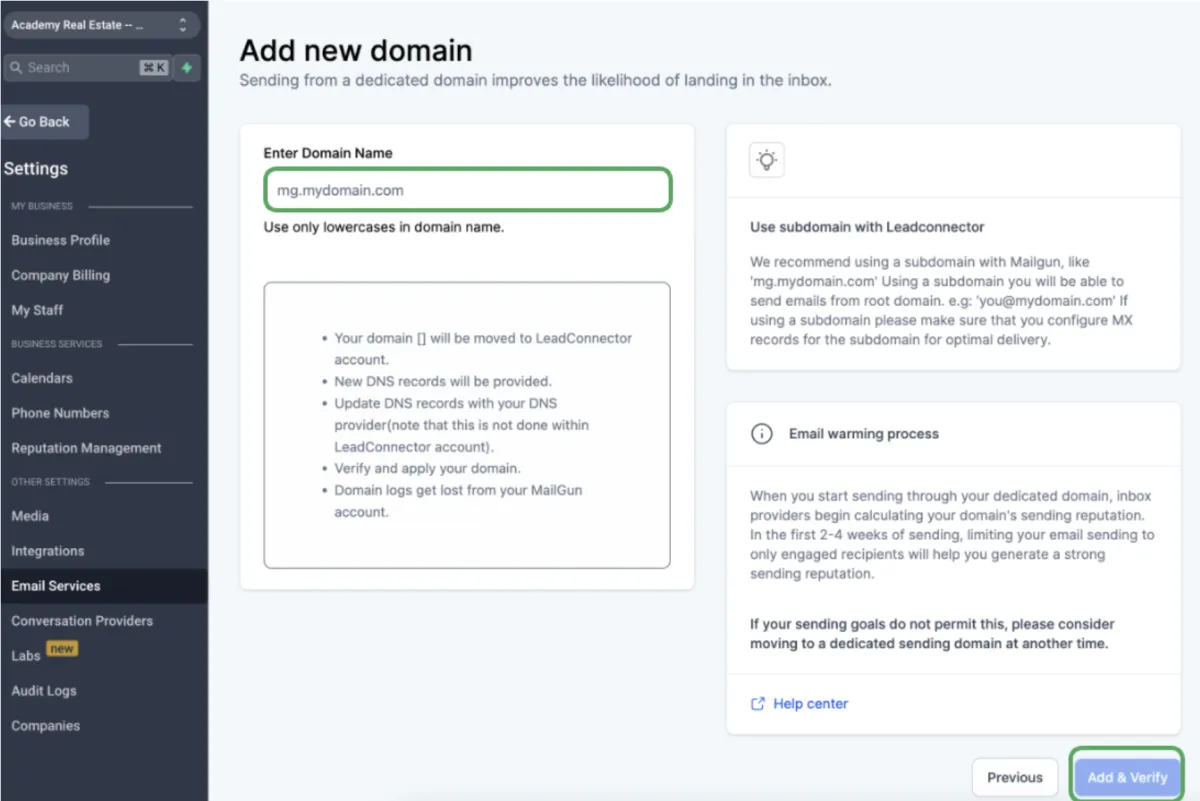
2. If your Domain is companyname.com, you can set up the main Domain or sub-domain with.
NOTE:
If you are adding the main Domain,
it should not be used with Gsuite or any other email provider
Sub-domain:
To set up the subdomain, you can type ANYTHING_HERE.companyname.com
Examples:
mail.companyname.com
replies.companyname.com
support.companyname.com
3. Click on Add & Verify
2. If your Domain is companyname.com, you can set up the main Domain or sub-domain with.
NOTE:
If you are adding the main Domain,
it should not be used with Gsuite or any other email provider
Sub-domain:
To set up the subdomain, you can type ANYTHING_HERE.companyname.com
Examples:
mail.companyname.com
replies.companyname.com
support.companyname.com
3. Click on Add & Verify
The next screen that you're taken to will ask you to add DNS records to your Domain. Leave this screen open for the next step.
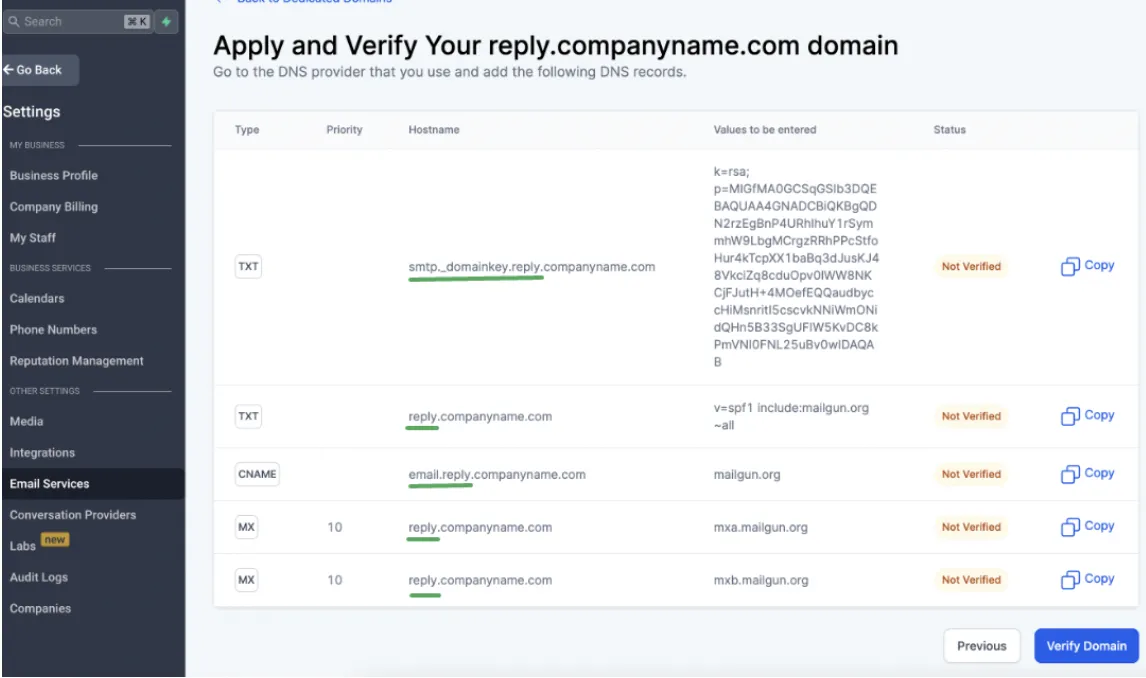
4. Now log in to your DNS records based on where you get the Domain and add the 5 DNS records.
Need additional support?
Feel free to reach out and get expert help!